Hybrid Work Policy Template: Free Copy and Guide (2026)
Sara
Sales Director, Reservete
Free hybrid work policy template with examples, the clauses every policy needs, compliance checkpoints, rollout steps and a way to measure it.
A hybrid work policy is a written agreement that sets how many days employees work in the office and remotely, which days are fixed, who is eligible, how desks are booked, what equipment and expenses are covered and how exceptions are handled. The best policies fit on two pages and are reviewed every quarter against booking data.
Last updated: 14 November 2026.
Most hybrid policies fail because they are vague ("come in when it makes sense") or because nobody checks whether the office can cope with the days they set. This guide gives you the clauses every policy needs, three real-world policy patterns, a copy-paste template, a compliance checklist and a simple way to measure whether the policy is working.
What should a hybrid work policy include?
| Clause | What it answers | Example wording |
|---|---|---|
| Purpose | Why the office matters | "Office days are for planning, problem-solving and onboarding." |
| Eligibility | Which roles are hybrid | "All office-based roles except site-dependent positions." |
| Attendance | How many days and which ones | "8 office days per 4 weeks, including team anchor days." |
| Core hours | When people must be reachable | "10:00-15:00 local time on working days." |
| Booking | How people get a desk or room | "Book in [tool], check in by 10:00 or the desk is released." |
| Equipment and costs | What the company provides | "Laptop, monitor and headset; home internet not reimbursed." |
| Security and data | How work is protected remotely | "Use company devices and VPN; no confidential printing at home." |
| Health and safety | Home workstation safety | "Complete the home workstation self-assessment within 2 weeks." |
| Exceptions | How to ask for a different pattern | "Written request; reply within 10 working days." |
| Review | When rules change | "Reviewed every quarter using anonymised team-level data." |
What do hybrid work policy examples look like?
| Pattern | Rule | Works well for | Watch out for |
|---|---|---|---|
| Fixed days | Everyone in Tuesday to Thursday | Small companies that want maximum overlap | Peak demand close to 100% of staff |
| Minimum days, team anchor | 8 days per 4 weeks, incl. 1 team anchor day a week | Mid-size companies with limited space | Teams all choosing the same day |
| Remote-first, planned on-site | One in-person week per quarter, office optional otherwise | Distributed teams | Weak informal contact between visits |
Averaging days over four weeks (rather than per week) gives people room for travel and holidays without breaking the rule, and makes the policy easier to manage than weekly counts.
Hybrid work policy template
Hybrid Work Policy - [Company name] (copy, paste and edit the bracketed parts)
1. Purpose
We combine office and remote work. Office days are for collaboration,
onboarding and team rituals; focused work can happen anywhere.

2. Who this covers
Employees in hybrid-eligible roles at [locations] from [date]. Site-based
roles and remote contracts follow their own written terms.

3. Office attendance
- [8] office days per [4] weeks.
- Your team anchor day(s): [day], set by your manager.
- Core hours on all working days: [10:00-15:00].

4. Booking desks, rooms and parking
- Book in [tool] before you come in; check in by [10:00].
- Unconfirmed bookings are released automatically.
- Team zones are reserved on anchor days.

5. Working remotely
- Work from [home / an agreed location in country]; tell your manager
  before working from anywhere else.
- Use company devices and [VPN]. Follow the data protection policy.
- Complete the home workstation self-assessment within [2] weeks.

6. Equipment and expenses
[List what is provided and what is reimbursed.]

7. Exceptions and flexible working requests
Ask your manager in writing. Statutory requests follow [policy name].

8. Review
Reviewed every quarter using anonymised, team-level booking data.
Questions: [HR contact]. Next review: [date].
A formatted version is on our hybrid work policy template page. If most of your team is remote, start from the remote work policy template; if you are moving towards more office days, the return to office policy template fits better.
What does hybrid work policy compliance mean?
Compliance has two sides. Legal compliance means the policy follows employment, health and safety and data protection law in each country. Policy compliance means people actually follow the attendance and booking rules. Both need checking.
Legal checkpoints (Great Britain example)
- GOV.UK: all employees have the legal right to request flexible working, including where they work, from their first day in a job; employers must handle requests in a reasonable manner.
- Acas: an employer can only reject a statutory request for a genuine business reason, and may need a risk assessment for working at home.
- Acas: if contract terms change, the employer must put the changes in writing within one month of agreeing them.
- Acas: people with a disability can request reasonable adjustments under the Equality Act 2010.
- Rules differ in Northern Ireland and in other countries; have each version reviewed locally.
How to measure attendance compliance
Use team-level figures, not individual league tables. Compliance rate = team members who met the expectation in the period / team members in scope. Worked example: a 12-person team with an expectation of 8 days per 4 weeks; 9 people attended 8 or more days, 2 attended 6 and 1 is on an agreed exception (removed from scope). Compliance = 9 / 11 = 82%. The useful question is then why two people fell short: no desk near the team, a long commute or an unclear anchor day.
How do you roll out a hybrid work policy?
- Measure four weeks of current attendance and peak days by team.
- Choose the pattern and check the busiest day fits your desks with a buffer, using the desk sharing ratio calculator.
- Draft the policy from the template and get HR, legal and IT review.
- Brief managers first so they can answer questions and agree team anchor days.
- Announce the policy with the reasons and the support on offer.
- Switch on booking rules: advance booking, check-in deadline, automatic release and team zones.
- Review at 30 and 90 days, then every quarter.
Try it on your own floor plan: open the Reservete live demo (no signup), or start a 30-day free trial with no credit card. Plans are $19/month (up to 100 users), $29/month (up to 400 users), $59/month (up to 10,000 users) and $99/month (up to 30,000 users).
How do you communicate a new hybrid work policy?
- Explain what office days are for before explaining the rules.
- Publish a one-page summary with the full policy linked from it.
- Hold a short Q&A per team led by the manager, with HR available.
- Tell people when the first review will happen and how to give feedback.
Keep a short change log at the end of the policy, listing each revision date and what changed, so employees can see the policy evolve and managers apply the current version.
What are the limitations of a hybrid work policy?
- A policy cannot create a good office day; if teams do not overlap, people stop coming.
- Attendance data shows presence, not performance; use it to plan space, not to rate individuals.
- One policy rarely fits every country, so expect local versions.
- Rules that are never reviewed drift away from how people actually work.
How does Reservete support this?
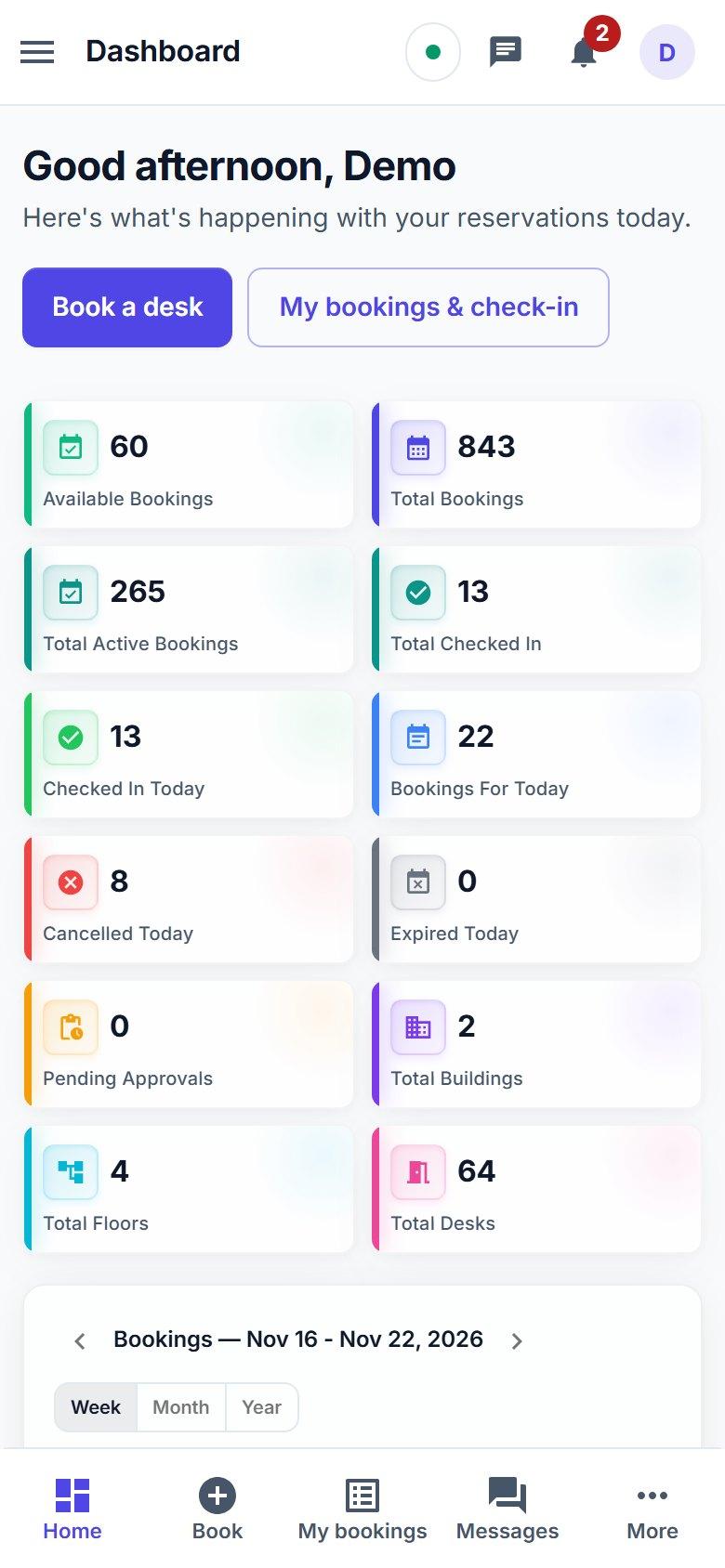
Reservete covers desk, room and parking booking on interactive floor plans, check-in with automatic release of no-shows, guest booking, approvals, 15+ reports, team chat and calls, announcements, a Microsoft Teams app, a REST API and an Android app, in English, Spanish, French and Arabic. Every booking sends a calendar invite (.ics) that people can add to Outlook, Google Calendar or Apple Calendar. Reports show bookings, check-ins and no-shows by team, which is the data the quarterly policy review needs.
Be clear about the limits too. Reservete does not offer two-way Outlook or Google Calendar sync (bookings arrive as .ics invites), there is no Slack integration, no kiosk mode and no SOC 2 report today, and the iOS app is still coming soon (Android is live). If those are hard requirements, shortlist a vendor that has them.
Related: the hybrid workplace model guide, the anchor day guide, the hybrid work schedule guide and Reservete hybrid workplace software.
Frequently Asked Questions
What is a hybrid work policy?
A hybrid work policy is a written set of rules covering how many days employees work in the office and remotely, which days are fixed, who is eligible, how space is booked, equipment, security and how exceptions are handled.
What should a hybrid work policy template include?
Purpose, eligibility, attendance expectation, anchor days, core hours, booking rules, remote working rules, equipment and expenses, exceptions and flexible working requests, and a review date.
How many office days should a hybrid policy require?
Many policies ask for two or three days a week or a monthly minimum such as eight days per four weeks. Choose based on what office days are for and whether your busiest day fits your space.
How do you check hybrid work policy compliance?
Check legal compliance with HR and legal advisers in each country, and measure policy compliance at team level: the share of people in scope who met the expectation over a set period.
Can employees ask for a different hybrid pattern?
Yes. In Great Britain employees can make a statutory flexible working request from day one, and employers must handle it reasonably and can only refuse for a genuine business reason.
Sources
- GOV.UK: Flexible working overview (checked 14 Nov 2026)
- Acas: Requesting home or hybrid working (last updated 19 Dec 2024) (checked 14 Nov 2026)
- Reservete pricing and plans (checked 14 Nov 2026)
Ready to put this into practice?
Start a 30-day free trial of Reservete — desk booking, meeting rooms, parking and analytics in one place. No credit card required.
Start free trialExplore Reservete