Office Hot Desking Solutions: 6 Tools and Best Practices
Sara
Sales Director, Reservete
Office hot desking that works: check-in, team zones and clear rules, plus 6 hot desking tools with prices checked Nov 2026, from free plans to $19/mo.
Hot desking is a way of running an office where employees do not have assigned desks and instead use any free desk, usually booked through an app. It works when there is a clear desk-to-people ratio, a check-in rule that releases no-shows, team zones on busy days and a short etiquette policy everyone knows.
Last updated: 14 November 2026.
This guide brings together what hot desking is, its pros and cons, real examples of how offices run it, the rules that make it work, and the tools that support it, with prices checked on vendor sites.
How does hot desking work in practice?
- An employee opens the booking app or floor plan and picks a free desk for a day or half day.
- They get a confirmation and a calendar invite, then arrive and check in at the desk.
- If they do not check in by the deadline, the desk is released for someone else.
- At the end of the day they clear the desk so the next person finds it clean and empty.
What is the difference between hot desking, hoteling and assigned seating?
| Model | How a desk is allocated | Best for | Main risk |
|---|---|---|---|
| Assigned seating | One person, one desk | Full-time on-site roles | Empty desks on hybrid days |
| Hot desking | First come, first served or same-day booking | Hybrid teams with variable attendance | Hunting for a seat on peak days |
| Office hoteling | Reserved in advance, often with check-in | Planned office days, visiting staff | No-shows blocking desks |
| Team neighbourhoods | Zone reserved for a team, any desk inside it | Teams that need to sit together | Zones sized wrongly |
Hoteling is covered in depth in our office hoteling guide.
What are the pros and cons of hot desking?
| Pros | Cons |
|---|---|
| Fewer desks needed when attendance is below 100% | People may not find a desk near their team |
| Space can be reconfigured into rooms and quiet areas | Personal storage and set-up take more planning |
| Booking data shows how the office is really used | Cleaning and equipment standards must be consistent |
| Encourages mixing between teams | Some roles and people with adjustments need fixed desks |
What are examples of hot desking set-ups?
- Pure hot desking: a 60-person team shares 40 identical desks with docking stations; anyone books any desk the day before.
- Neighbourhoods: each team has a zone on its anchor day and can use any desk elsewhere on other days.
- Hybrid mix: reception, finance and people with adjustments keep fixed desks; everyone else hot desks.
- Hot desks plus focus rooms: fewer desks, with the freed space turned into phone booths and small rooms.
- Multi-site: staff visiting another office book a desk there in the same app instead of emailing facilities.
What hot desking best practices actually work?
- Set the ratio from data. Size desks for the busiest day, plus a buffer. Our desk sharing ratio calculator does the maths.
- Require check-in. A check-in deadline with automatic release stops ghost bookings.
- Use team zones on anchor days so colleagues can actually sit together.
- Standardise every desk: same monitor, dock and chair adjustments, so any desk works.
- Provide lockers and a clear-desk rule at the end of the day.
- Keep fixed desks where needed, including for reasonable adjustments.
- Review monthly: peak occupancy, no-shows and unused areas.
A ready-to-edit rule set is on our hot desking policy template page.
Does hot desking need a workstation assessment?
In Great Britain, HSE guidance on display screen equipment says the law applies to hot-desking workers as well as fixed, mobile and home workers, and that workers should carry out a basic risk assessment if they change desks regularly. Adjustable chairs and monitors and a short self-check help meet this. Check local rules elsewhere.
Which hot desking tools are available, and what do they cost?
| Tool | Best for | Starting price (vendor sites, checked 13 Nov 2026) | Free plan? |
|---|---|---|---|
| Reservete | Desks, rooms, parking and guests in one tool | $19/month (1 building, up to 100 users) | No; 30-day free trial, no card |
| Microsoft Places | Microsoft 365 organisations | Core included in most Microsoft 365 plans; about $2/desk/month for individual desks | Core included with Microsoft 365 |
| deskbird | Teams and Slack-first desk sharing | $3.75/active user/month, annual, from 25 users | Yes; Starter plan up to 15 users |
| Skedda | Many spaces, unlimited users | $99/month EMEA and APAC (15 spaces); $249/month US (35 spaces), annual | No; paid plans only |
| OfficeRnD Workplace | Booking in Microsoft, Google or Slack | $99/month annual, plus $2 per bookable resource | Not listed |
| YAROOMS | Tiered plans with an on-premise option | $99/month Starter (1 location) | Not listed |
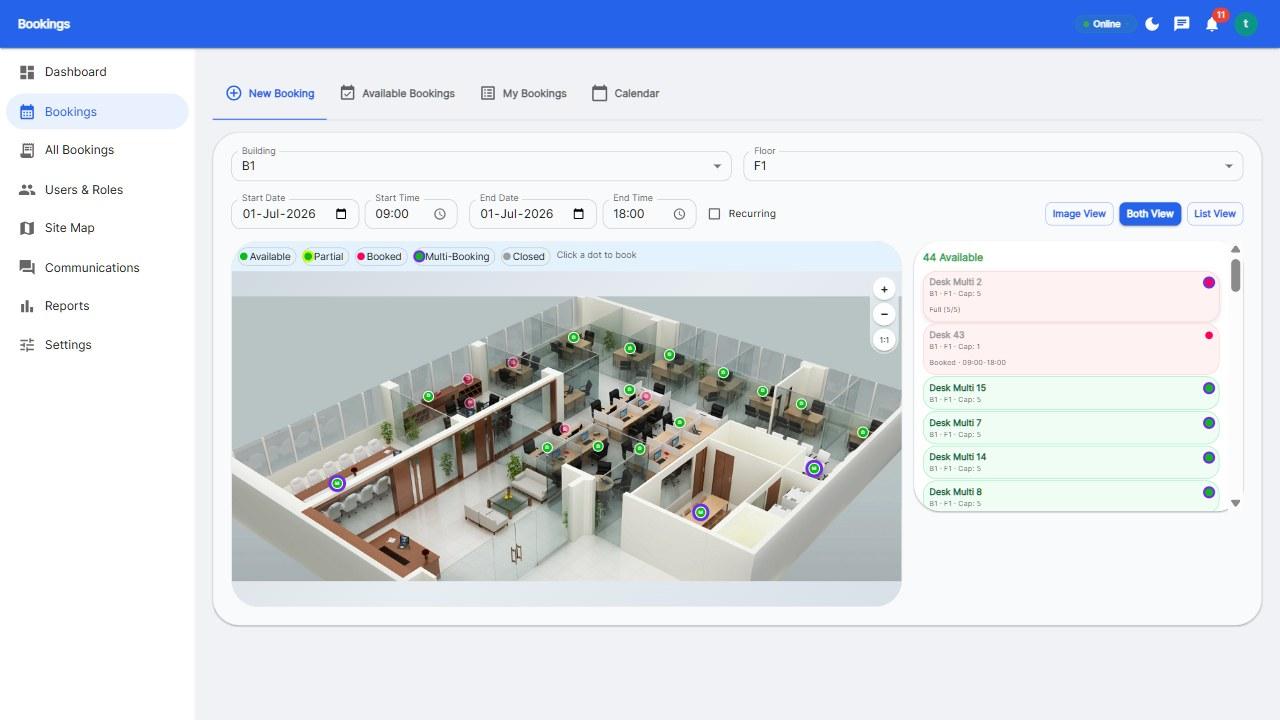
Try it on your own floor plan: open the Reservete live demo (no signup), or start a 30-day free trial with no credit card. Plans are $19/month (up to 100 users), $29/month (up to 400 users), $59/month (up to 10,000 users) and $99/month (up to 30,000 users).
Need more detail before buying? Read the hot desk booking software buyer's guide and the desk booking software buyer's guide, or see Reservete hot desking software.
What does a hot desking day look like for an employee?
Monday evening, Priya checks the floor plan and sees her team's zone has six free desks for Tuesday. She books one with two monitors, gets a confirmation and a calendar invite, and books a parking space at the same time. On Tuesday she checks in at 9:10, well before the 10:00 deadline. A colleague who booked but stayed home never checks in, so the desk is released at 10:00 and a visiting manager takes it. At 17:30 Priya clears the desk and puts her headset in a locker.
Every step in that story is a rule someone wrote down: book ahead, check in by a set time, release no-shows, clear the desk. Hot desking feels chaotic in offices where those rules are missing, not because shared desks cannot work.
How should you launch hot desking?
- Explain the reason in one sentence, for example "we have 90 people and use at most 55 desks on our busiest day".
- Run a two-week pilot on one floor and collect feedback before changing the whole office.
- Name a contact for desk equipment problems so broken docks are fixed quickly.
- Share the first month's numbers (peak use, no-shows) with everyone, then adjust.
What hot desking terms should you know?
- Desk sharing ratio
- The number of desks divided by the number of people who share them, for example 0.7 means 70 desks for 100 people.
- Check-in
- Confirming on arrival that you are using a booked desk, in the app or on the desk itself.
- Auto-release
- Automatic cancellation of a booking that was not checked in by the deadline, so the desk becomes free again.
- Neighbourhood or team zone
- A group of desks reserved for one team, either permanently or on its anchor days.
- Anchor day
- A fixed day when a team is expected in the office together.
- Clear-desk policy
- The rule that personal items are removed at the end of each day so the next person finds an empty desk.
- Drop-in desk
- A desk that is not bookable in advance and is used on a first-come basis.
What are the limitations of hot desking?
- It saves space only if attendance really is below desk count on most days; check your peak day first.
- Without check-in rules, booked-but-empty desks make the office feel full.
- It does not suit every role; people who need specialist equipment usually keep fixed desks.
- Software makes booking easy but cannot fix a shortage of quiet space or meeting rooms.
How does Reservete support hot desking?
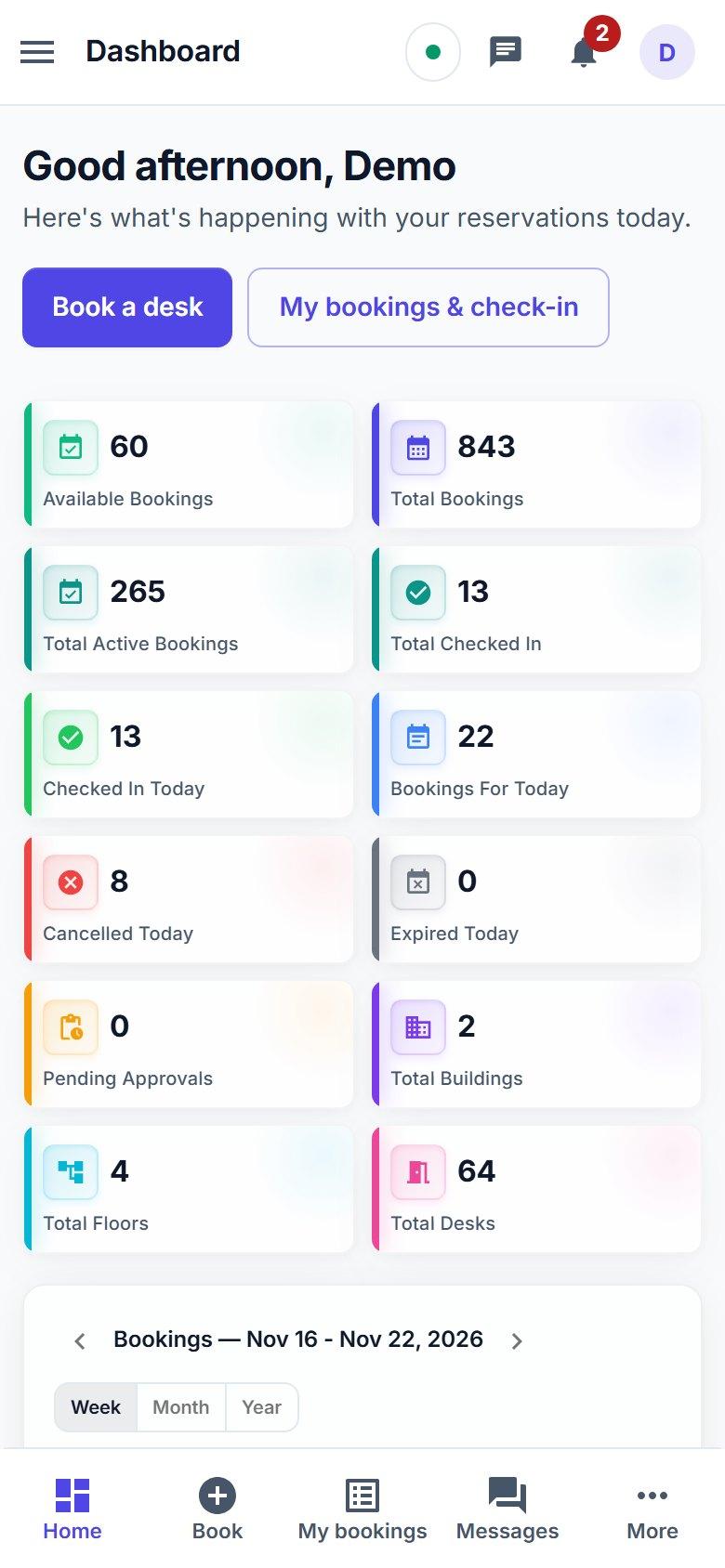
Reservete covers desk, room and parking booking on interactive floor plans, check-in with automatic release of no-shows, guest booking, approvals, 15+ reports, team chat and calls, announcements, a Microsoft Teams app, a REST API and an Android app, in English, Spanish, French and Arabic. Every booking sends a calendar invite (.ics) that people can add to Outlook, Google Calendar or Apple Calendar.
Be clear about the limits too. Reservete does not offer two-way Outlook or Google Calendar sync (bookings arrive as .ics invites), there is no Slack integration, no kiosk mode and no SOC 2 report today, and the iOS app is still coming soon (Android is live). If those are hard requirements, shortlist a vendor that has them.
Frequently Asked Questions
What is hot desking?
Hot desking is an office model where nobody has an assigned desk. Employees use any free desk, usually booking it in an app for a day or half day, and clear it when they leave.
What is the point of hot desking?
The point is to match the number of desks to real attendance in a hybrid office, free up space for meeting rooms and quiet areas, and give people a simple way to find a desk.
Does hot desking improve productivity?
There is no single answer. It helps when people can reliably find a suitable desk near their team and quiet space when needed; it hurts when they spend time hunting for seats. Measure no-shows and peak occupancy rather than assuming.
What is a good desk sharing ratio for hot desking?
There is no universal ratio. Base it on your busiest day: count peak checked-in desks over four weeks and add a buffer, then check it again every quarter.
What is hot desking etiquette?
Book before you come, check in on arrival, cancel if plans change, keep calls out of quiet zones, and leave the desk clean and empty at the end of the day.
Sources
- HSE: Working safely with display screen equipment (updated 20 Mar 2025) (checked 14 Nov 2026)
- Reservete pricing and plans (checked 14 Nov 2026)
- Competitor prices: each vendor's public pricing page, checked 13 Nov 2026
Ready to put this into practice?
Start a 30-day free trial of Reservete — desk booking, meeting rooms, parking and analytics in one place. No credit card required.
Start free trialExplore Reservete