Free Desk Booking Software: 7 Real Free Plans (2026)
Sara
Sales Director, Reservete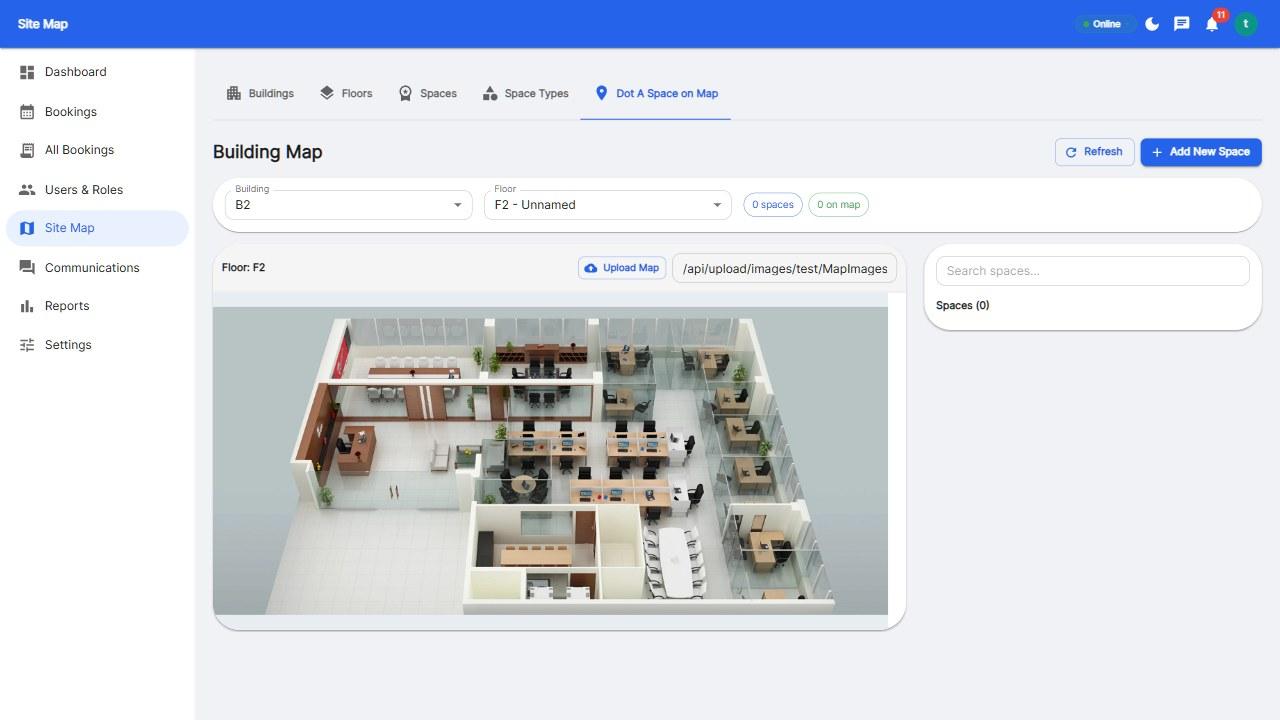
7 free desk booking options, checked Nov 2026: free plans from Seatsurfing, deskbird and Microsoft Places, open source, and when paid from $19/mo wins.
Genuinely free desk booking software exists in 2026, but every free option has a hard limit. Seatsurfing Cloud is free for up to 10 users, deskbird lets you stay on a Starter plan limited to 15 users after its trial, Microsoft 365 includes desk-pool booking through Microsoft Places, and open-source tools such as Seatsurfing, WARP and LibreBooking are free if you host them. (See our deskbird alternatives compared.)
Free usually stops being enough once you pass 10 to 15 people, need check-in with automatic release of no-shows, or need someone to call when booking breaks on a Monday morning. Paid tools such as Reservete start at $19/month and can be tested free for 30 days.
Last updated 13 November 2026. Facts checked on each vendor's own website.
We checked every option below on the vendor's own pricing page or source repository. Free trials are listed separately, because a 14- or 30-day trial is not a free plan. If you can host software yourself, our open source desk booking guide goes deeper on self-hosting.
Which desk booking tools are actually free?
The table lists the seven free options covered below, ordered from least to most effort to run.
| Option | What is free | Main limit | Best for |
|---|---|---|---|
| Seatsurfing Cloud Free | Hosted desk and room booking, Teams and Exchange integration | Up to 10 users | Micro teams |
| deskbird Starter | Plan you can stay on after the free trial | Limited to 15 users | Small teams wanting native apps |
| Microsoft Places (core) | Room and desk-pool booking in Outlook and Teams | Individual desks and auto-release need a space license | Microsoft 365 organizations |
| Seatsurfing self-hosted | Open source (GPL-3.0), unlimited users | You host, patch and back it up | Teams comfortable with Docker |
| WARP | Open source (MIT), desks and parking on floor maps | Self-hosted, small maintainer team | Technical teams |
| LibreBooking or MRBS | Open-source resource and room scheduling | Not desk-first; patching is on you | Rooms and shared equipment |
| Spreadsheet or shared calendar | Tools you already pay for | No floor plan, conflict rules or check-in | Very small offices |
See it before you shortlist: try the Reservete live demo - no signup, or start a 30-day free trial with no credit card. Plans are $19, $29, $59 and $99 per month.
Related reading: for a deeper look, see our desk booking software buyer's guide, hot desking software guide for facility managers and hot desking software overview.
1. Seatsurfing Cloud Free: best free hosted plan
Seatsurfing is a German open-source desk sharing and room booking product that also sells a hosted version. Its Free plan is described on the pricing page as free forever for up to 10 users.
Best for: Teams of up to 10 people who want a hosted tool with no setup and no credit card.
Key features:
- Desk, seat and room booking from a web app that installs on phones as a PWA
- Microsoft Teams integration and Microsoft Exchange synchronization
- Atlassian Confluence integration
- Managed hosting on servers in Germany
Pricing: Free for up to 10 users. Professional is €0.90 per user per month with no user limit and adds approvals, recurring bookings, custom domains and third-party identity providers. Enterprise is offered for 500+ users.
Limitations: The 10-user cap is firm, and approvals, recurring bookings and SSO through your own identity provider are Professional features. There is no native iOS or Android app.
2. deskbird Starter: best free tier from a mainstream vendor
deskbird is a European workplace platform for desk, room and parking booking with native mobile apps and Teams, Slack and Outlook apps.
Best for: Small teams that want a polished commercial app and may grow into a paid plan later.
Key features:
- Free trial with access to key features and no credit card required
- Option to stay on the Starter plan after the trial ends
- Paid plans add check-in with auto-release, Teams and Slack apps and analytics
- deskbird states ISO 27001 and SOC 2 Type 2 certification
Pricing: Starter is limited to 15 users, according to deskbird's pricing FAQ. Business costs $3.75 per active user per month billed annually ($4.75 monthly), from 25 users.
Limitations: deskbird's page does not list exactly which features stay on Starter, so confirm before you roll it out. Above 15 users the next step is Business with a 25-user minimum, roughly $94/month billed annually.
3. Microsoft Places: best if you already pay for Microsoft 365
Microsoft Places is Microsoft's workplace app built into Outlook and Teams. Users on most Microsoft 365 business, enterprise, education and frontline plans get its core features at no extra cost.
Best for: Organizations already on Microsoft 365 that are happy to book desk pools rather than specific desks.
Key features:
- Room and workspace booking, where a workspace is a desk pool such as a team zone
- Work plans showing who is in the office on which day
- Places finder with photos, floor plans and room details
- Places analytics, with occupancy reports requiring a space license
Pricing: Core features are included with plans such as Microsoft 365 Business Basic, Standard and Premium, E1, E3, E5 and F1, F3. Since 1 April 2026, booking individual desks and auto-release need a space license: each $8/month Teams Shared Space license unlocks three free single-space licenses, about $2 per desk per month.
Limitations: Setup needs a Places admin to build the building, floor and section hierarchy with PowerShell or the Places management portal. There is no parking or visitor module, and individual desk booking is no longer free.
4. Seatsurfing self-hosted: best open-source desk booking
The same Seatsurfing code is published on GitHub under GPL-3.0. Self-hosting is free with unlimited users and all features, apart from a paid Plus plugin.
Best for: IT teams that can run Docker and PostgreSQL and want unlimited users at no license cost.
Key features:
- Go REST API backend with React booking and admin web interfaces
- Docker images for amd64 and arm64, plus Kubernetes documentation
- Active project: release v1.141.0 shipped on 12 November 2026
- Optional paid Plus plugin and support contracts
Pricing: Free software. You pay for servers, backups, domain and TLS certificates, and the staff time to keep it updated.
Limitations: You own uptime, security patches, backups and SSO setup. Some features are cloud-only, such as the Confluence integration.
5. WARP: best lightweight open-source option
WARP (Workspace Autonomous Reservation Program) is an MIT-licensed project for booking desks and parking on floor-map images, started when its author's office went hybrid.
Best for: Technical teams that want a permissive license and simple visual booking.
Key features:
- Book, change and cancel desks or parking on a floor map
- See who else will be in the office; Excel export of past bookings
- iCal feeds for Google, Outlook or Apple calendars
- SAML 2.0, LDAP, Azure AD and OpenID Connect sign-in
Pricing: Free software. Production use means the warp:latest container behind a reverse proxy, with PostgreSQL on a separate host.
Limitations: The README says the project is maintained largely by its author and friends, with much of the work done by AI coding assistants. The last tagged release is v1.0 from 2022, although commits continued into October 2026.
6. LibreBooking or MRBS: best for rooms and shared resources
LibreBooking (GPL-3.0) and MRBS, the Meeting Room Booking System (GPL-2.0), are long-running PHP projects for scheduling rooms and other resources.
Best for: Schools, labs and offices that mainly need meeting rooms or equipment booked, not hot desks.
Key features:
- Calendar-style booking of rooms and resources
- LibreBooking includes a REST API and a mobile-friendly interface
- MRBS released v1.13.0 on 12 November 2026
- Both run on standard PHP hosting
Pricing: Free software plus hosting and administration time.
Limitations: Neither is built around desk floor plans. LibreBooking's README warns that versions before 7.2.0 have a high-severity security flaw and that fixes are not backported, which shows why self-hosters must patch quickly.
7. A spreadsheet or shared calendar: free, until it is not
Many small offices start with a shared spreadsheet, a Microsoft Forms sheet or room calendars in Outlook or Google Workspace.
Best for: Offices with a handful of desks and people who sit together and can sort out clashes face to face.
Key features:
- No new tool to buy or approve
- Everyone already knows how to use it
- Room calendars work well for one or two meeting rooms
Pricing: Included in software you already pay for.
Limitations: There is no floor plan, no rule against double booking, no check-in and no usable utilization data. It breaks down as soon as people stop updating it.
Which paid tools offer a free trial instead?
A free trial is the honest way to test a full product before paying. These are the trials we verified:
| Tool | Trial | Card required? |
|---|---|---|
| Reservete | 30 days, full access | No |
| Skedda | 14-day Premium trial | No payment method required |
| Joan | 30 days | Free sign-up offered |
| deskbird | Free trial, then Starter (15 users) or paid | No |
When does free desk booking stop being enough?
- You pass the user cap. Free plans stop at 10 to 15 users, and some paid tiers then start at a 25-user minimum.
- No-shows block desks. Check-in with auto-release is what makes booking data trustworthy; see how to cut office no-shows.
- You need more than desks. Rooms, parking and guests in separate tools create double bookings.
- IT asks about SSO and support. Single sign-on, calendar sync and a support contact are rarely free.
- Leadership wants numbers. Utilization reports are what justify keeping or releasing space.
Where does Reservete fit?
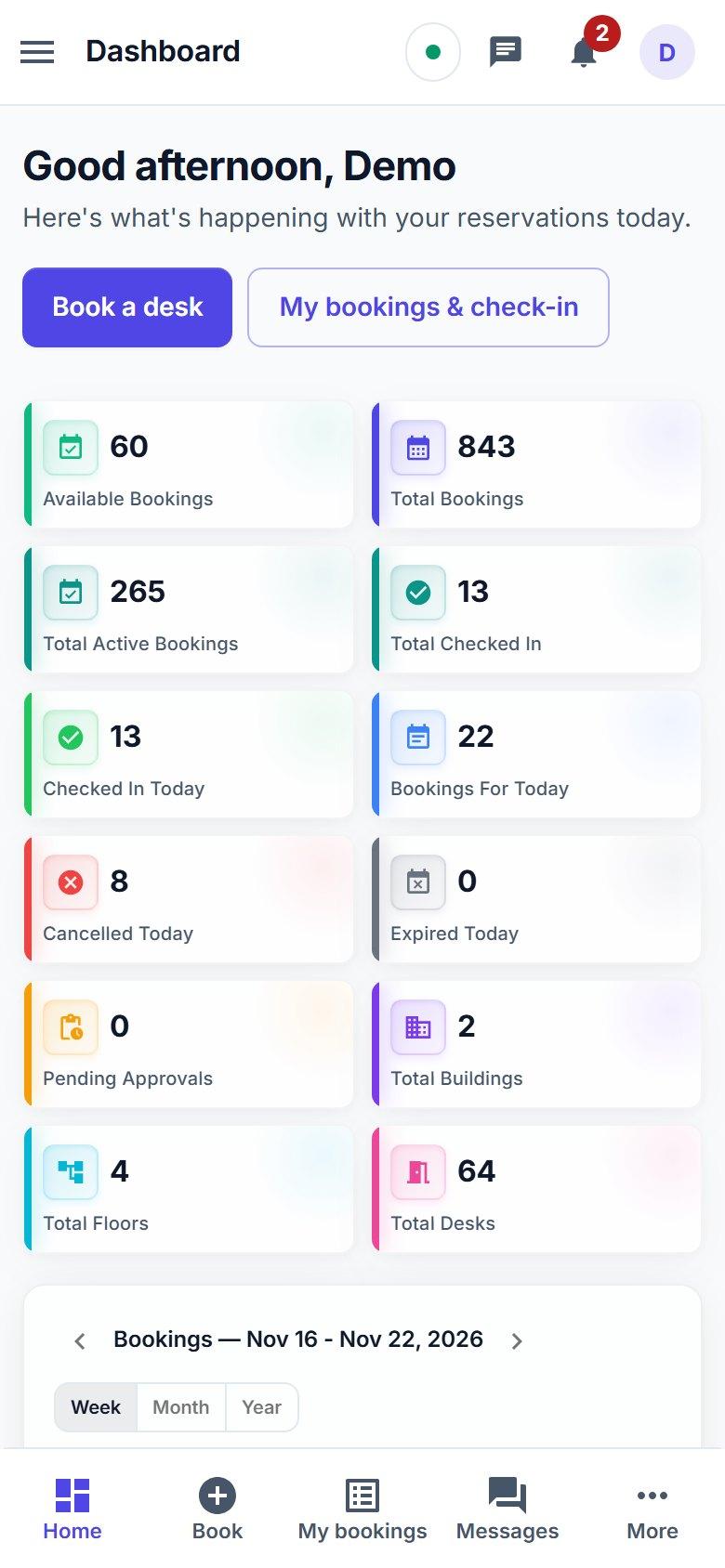
Reservete is not free. It is a low-cost paid option for the point where free tools run out: desks, meeting rooms, parking and guest booking on one interactive floor plan, check-in with auto-release of no-shows, approval workflows, 15+ reports with PDF and Excel export, team chat with audio and video calls, announcements, and a new Microsoft Teams app.
Pricing: Starter $19/month (1 building, up to 100 users), Professional $29/month (up to 400 users and 3 buildings; adds Google SSO (Microsoft SSO coming soon), REST API, .ics calendar invites on booking emails (direct Outlook sync is coming soon), chat and calls) and Enterprise $59/month (up to 10,000 users). 30-day free trial, no credit card. See all plans.
Limitations: Reservete is a newer vendor with a shorter track record and a smaller integration catalogue than the established players. The Android app is live and iOS is coming soon. There is no SOC 2 report today, which some enterprise procurement teams require.
How do you choose free desk booking software?
Use this checklist to shortlist two or three tools:
- Count your users for next year, not today. If you will pass 10 or 15 people, price the paid tier now.
- Decide who will run it. Hosted free plans need no admin time; self-hosted tools need someone to patch and back them up.
- List what must be booked. Desks only, or rooms, parking and visitors too?
- Check sign-in. Confirm whether Google or Microsoft SSO is included or a paid feature.
- Test no-show handling. Without check-in and auto-release, booked-but-empty desks stay blocked.
- Compare the real cost. Use the ROI calculator to weigh staff time against a $19 to $99 monthly plan.
Frequently Asked Questions
Is there any completely free desk booking software?
Yes. Seatsurfing Cloud is free for up to 10 users, deskbird offers a Starter plan limited to 15 users after its trial, and open-source tools such as Seatsurfing self-hosted and WARP are free if you host them. Each has a user cap or a hosting and maintenance cost.
Does Microsoft 365 include free desk booking?
Partly. Microsoft Places core features, including booking rooms and desk pools, are included with most Microsoft 365 plans. Since 1 April 2026, booking individual desks and auto-release need a Teams Shared Space license, which works out at about $2 per desk per month.
What is the best free desk booking app for a small team?
For up to 10 users, Seatsurfing Cloud Free is the simplest hosted option. For up to 15 users, deskbird Starter is worth testing. If you need rooms, parking and guests in one tool, a paid plan such as Reservete Starter at $19/month is usually the next step.
Is free desk booking software safe to use?
Hosted free plans from established vendors are generally fine, but read their data and support terms. With self-hosted open source, security depends on how quickly you install patches; LibreBooking, for example, warns that security fixes are not backported to older versions.
Does Reservete have a free plan?
No. Reservete offers a 30-day free trial with full access and no credit card. After that, plans are $19/month for 1 building and up to 100 users, $29/month for up to 3 buildings and 400 users and $59/month for up to 10,000 users (or $99/month for up to 30,000).
Sources
All facts below were checked on the linked pages on 13 November 2026. Prices exclude tax, vary by region and change often, so confirm them before you buy. Reservete is our own product, and we describe its limitations as plainly as everyone else's.
- Seatsurfing pricing: https://seatsurfing.io/pricing
- Seatsurfing source code: https://github.com/seatsurfing/seatsurfing
- deskbird pricing: https://www.deskbird.com/pricing
- Microsoft Places license requirements: https://learn.microsoft.com/en-us/microsoft-365/places/what-is-places/license-requirements
- Microsoft Teams Shared Space licenses for desks: https://learn.microsoft.com/en-us/microsoft-365/places/what-is-places/buy-set-up-teams-shared-space-licenses-desks
- WARP source code: https://github.com/sebo-b/warp
- LibreBooking source code: https://github.com/LibreBooking/librebooking
- MRBS source code: https://github.com/meeting-room-booking-system/mrbs-code
- Skedda pricing: https://www.skedda.com/pricing
- Joan pricing: https://getjoan.com/pricing/
- Reservete pricing: https://reservete.com/pricing
Outgrown free? Try Reservete for 30 days
When a free plan runs out of users or features, start a free 30-day Reservete trial with no credit card and set up desks, rooms and parking on your own floor plan. Compare plans on the pricing page or see how hot desking works on our hot desking software page.
Ready to put this into practice?
Start a 30-day free trial of Reservete — desk booking, meeting rooms, parking and analytics in one place. No credit card required.
Start free trialExplore Reservete