Meeting Room Scheduling Software: What Good Looks Like
Sara
Sales Director, Reservete
Meeting Room Scheduling Software: what it is, why it matters, four steps to run it, best practices and how spreadsheets compare with booking software.
What Is Meeting Room Scheduling Software?
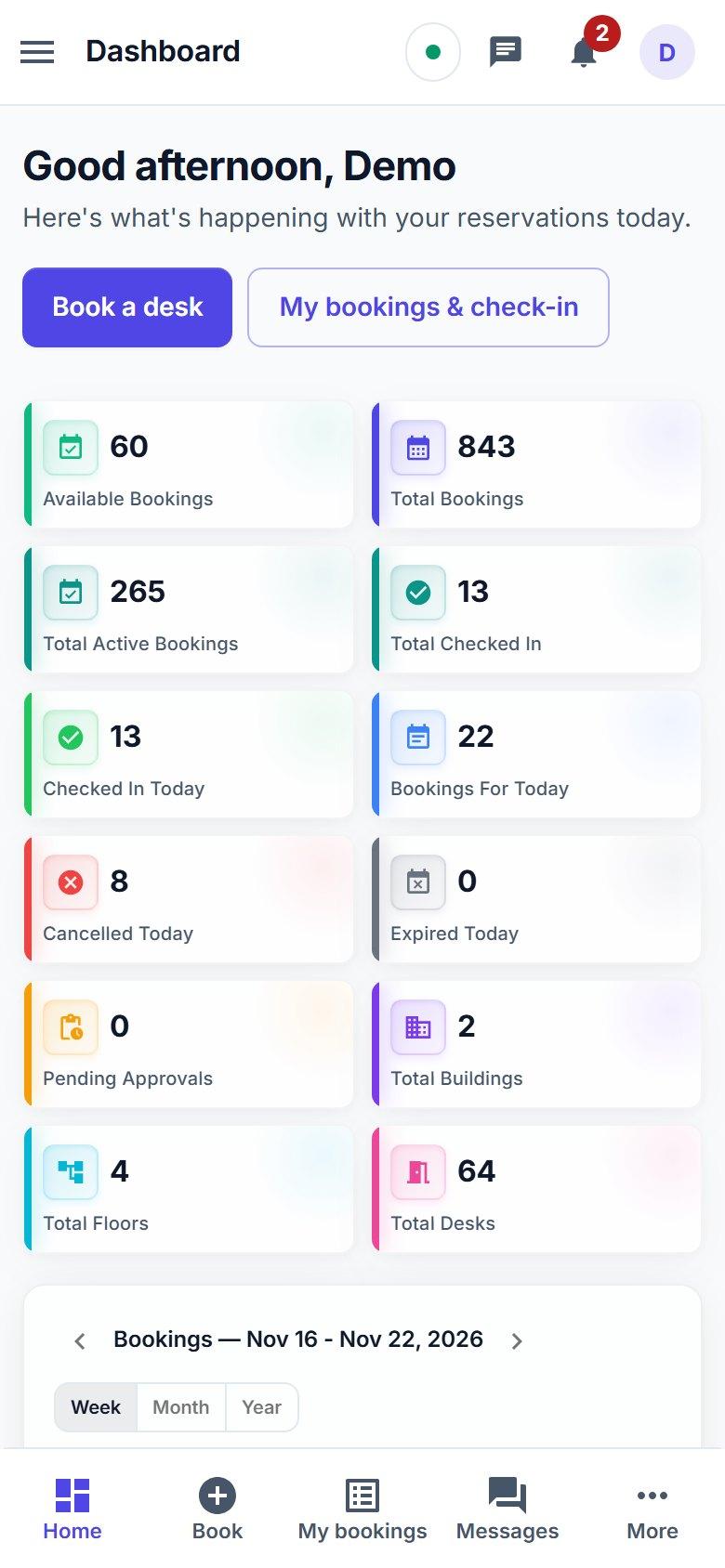
Meeting Room Scheduling Software is the way modern teams decide who uses which workspace, when, and how — and the software that makes those decisions automatic. In a hybrid office, that means desk booking, meeting room reservations, parking, and clear rules about check-ins and no-shows. Platforms such as Reservete handle all of it in one place with interactive floor plans, real-time availability and analytics.
Here is a practical walk-through of meeting room scheduling software and workspace booking solution, workspace booking outlook, including the mistakes that cost teams the most time.
Why Meeting Room Scheduling Software Matters in 2026
Hybrid offices typically run at 40–55% desk utilization, and meeting rooms sit empty up to a third of the time. Without a booking layer, teams duplicate reservations, hunt for free desks, and facility managers make real-estate decisions on guesswork. A booking system turns that into data: which floors fill up, which days are busy, and where you can consolidate space. See the numbers in our 2026 benchmark report.
- Employees stop searching for a seat and start their day in minutes.
- Check-in rules cut no-show rates by roughly half within a month.
- Usage data shows how much space you can consolidate — often 20–30%.
1. Workspace Booking Solution
Workspace Booking Solution comes up most often when teams are choosing software, planning a return to the office, or trying to make hot desking fair. Reservete covers it directly with floor plans, desk and room booking, parking, approval workflows and free workspace policy templates.
How to approach workspace booking solution
- Measure first. Use two weeks of booking data to see real demand by day and floor.
- Set simple rules. Booking windows, weekly limits, and check-in grace periods cover most cases without heavy policy.
- Automate the boring parts. Auto-release no-shows, sync calendars, and let people book from mobile or Slack/Teams.
- Review monthly. Report on utilization and adjust desk-to-person ratios as you learn. See workspace glossary for the wider view.
A practical note: the tools that win are the ones people actually use. Booking has to be faster than walking around the floor. For more context, see our guide on the booking model differences.
2. Workspace Booking Outlook
Workspace Booking Outlook matters most when a company is scaling hybrid work, consolidating floors, or trying to cut real-estate cost. Reservete covers it directly with floor plans, desk and room booking, parking, approval workflows and free workspace policy templates.
How to approach workspace booking outlook
- Measure first. Use two weeks of booking data to see real demand by day and floor.
- Set simple rules. Booking windows, weekly limits, and check-in grace periods cover most cases without heavy policy.
- Automate the boring parts. Auto-release no-shows, sync calendars, and let people book from mobile or Slack/Teams.
- Review monthly. Report on utilization and adjust desk-to-person ratios as you learn. See workspace glossary for the wider view.
A practical note: the tools that win are the ones people actually use. Booking has to be faster than walking around the floor. For more context, see our guide on utilization metrics.
Meeting Room Scheduling Software Compared: Spreadsheets vs Dedicated Software
| Capability | Spreadsheets | Reservete |
|---|---|---|
| Live desk availability | No | Yes (floor plans) |
| Double-booking prevention | Manual | Automatic |
| Check-in & no-show release | No | Yes |
| Meeting rooms & parking | Separate sheets | One platform |
| Approvals for premium space | No | Yes |
| Utilization analytics | Manual pivot tables | 22+ reports |
| Calendar sync (M365 / Google) | No | Two-way |
| Mobile apps | No | iOS & Android |
You can see the full feature and pricing comparison on our comparison page.
Best Practices for Meeting Room Scheduling Software
- Start with anchor days. Tuesday–Thursday usually see 2–3x the demand. Guarantee desks on those days and let the rest flex.
- Use check-in rules. Release unclaimed desks after 30–60 minutes so space is never wasted.
- Keep the desk-to-person ratio honest. Most hybrid teams need 0.6–0.8 desks per person, not 1:1.
- Make booking one tap. Mobile, calendar invite, QR code at the desk — whatever is fastest.
- Report and iterate. Share utilization with leadership monthly to justify space decisions.
How to Get Started with Meeting Room Scheduling Software
- Upload your floor plan — Reservete maps desks, rooms and parking in minutes.
- Set policies: booking windows, weekly limits, approvals and check-in rules.
- Connect Microsoft 365 or Google Calendar and enable SSO.
- Invite your team and run a two-week pilot on one floor.
- Review the built-in reports and expand.
The fastest path is a free trial with full features: start Reservete's 30-day trial — no credit card required.
Related Guides
- A Practical Look at Room Booking System Microsoft in 2026
- How to Get Workspace Booking System Right in a Hybrid Office
- Office Space Management: Best Practices That Actually Work
- What Is Employee Utilization: A Practical Guide for Hybrid Teams
- Hot Desking Policy Template Explained for Facility Managers
Frequently Asked Questions
What is meeting room scheduling software?
Meeting Room Scheduling Software is the process and software hybrid teams use to manage who uses which desk, room or parking space, and when. Reservete automates it with live floor plans, check-in rules and analytics.
What is workspace booking solution?
Workspace Booking Solution is a core workspace topic in 2026. Reservete handles it out of the box alongside desk, room and parking booking.
What is workspace booking outlook?
Workspace Booking Outlook matters because it affects how teams plan office days and how facility managers measure space. Reservete reports on it in real time.
Why do hybrid teams need meeting room scheduling software software?
Because spreadsheets cannot show live availability or enforce check-in rules. Booking software prevents double-bookings, releases no-shows automatically, and gives managers utilization data they can act on.
How much does meeting room scheduling software software cost?
Reservete starts at $19/month with transparent plans and a free 30-day trial. Most competitors require custom quotes, which makes budgeting harder.
Ready to put this into practice?
Start a 30-day free trial of Reservete — desk booking, meeting rooms, parking and analytics in one place. No credit card required.
Start free trialExplore Reservete