Reservete
Reservete
Back to Blog
Product
Tips
Hybrid Work

Microsoft Teams Desk Booking Integration: How It Works and Why You Need It

System Administrator

Tuesday, August 11, 2026
Learn how to integrate desk booking with Microsoft Teams. Book desks without leaving Teams, sync with Outlook calendar, manage hybrid schedules, and improve workplace collaboration — all inside the Microsoft ecosystem.

Why Integrate Desk Booking with Microsoft Teams?

Microsoft Teams is where work happens for over 300 million daily users. When your desk booking software integrates with Teams, employees can reserve desks, check in, see who else is in the office, and coordinate team days — all without switching apps. This single integration drives adoption rates from 30-40% to 80%+, because booking a desk becomes as natural as sending a chat message.

What a Teams Desk Booking Integration Should Do

Not all integrations are equal. A proper Microsoft Teams desk booking integration should:

  • Book desks from Teams chat: Type a command or use a tab to see floor plans and reserve desks without opening another browser tab.
  • Sync with Outlook calendar: When you book a desk, it appears as a calendar event. When you book a meeting room in Outlook, it syncs back to the booking system.
  • Show team presence: See which colleagues are booked into the office on which days — right from Teams. Coordinate office days in a group chat and book adjacent desks.
  • Send check-in reminders: Teams bot pings you when it is time to check in at your desk. If you are running late, you can extend or cancel from Teams.
  • Display booking status: Your Teams presence can show your desk booking status — 'In Office — Desk B12' — so colleagues know where to find you.
  • Enable guest booking: Book desks for visiting clients or contractors through Teams, with QR code check-in sent automatically.

How the Integration Works Technically

Desk booking integration with Teams typically works through one of these approaches:

Approach 1: Teams Tab + Bot

The desk booking platform provides a Teams app package that adds a tab to your Teams channels. The tab embeds the booking interface (typically an iframe or single sign-on web view). A companion bot sends notifications — booking confirmations, check-in reminders, team day coordination prompts. This is the most common integration pattern because it requires no custom development from the customer's IT team.

Approach 2: Microsoft Graph API Integration

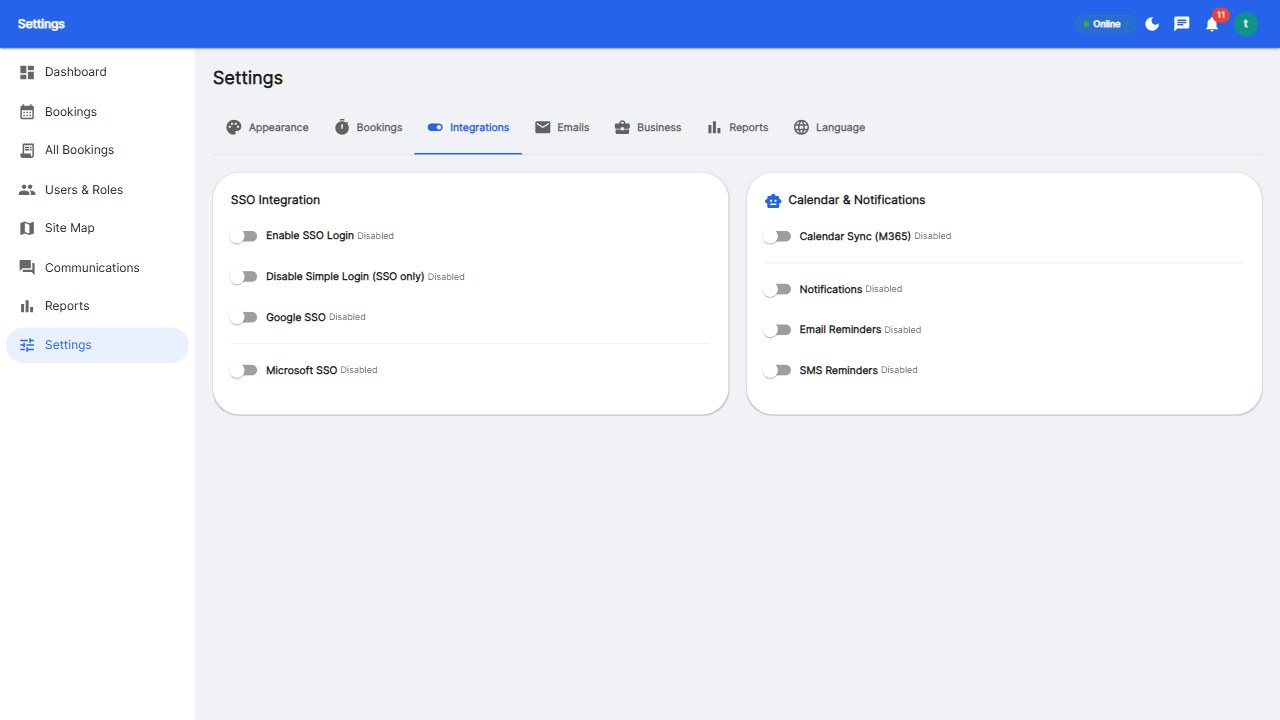
The desk booking platform connects to Microsoft Graph API for: user directory sync (automatically import users and departments from Azure AD), calendar bi-directional sync (bookings appear in Outlook, Outlook events sync to the booking system), presence integration (show booking status alongside Teams presence), and SSO via Azure AD / Microsoft Entra ID.

Approach 3: Power Automate / Custom Connector

For organizations with advanced workflows, desk booking platforms may offer a Power Automate connector. This lets you build custom workflows: when someone books a desk, automatically post a message in the department Teams channel; when a new employee joins the company (HR system trigger), automatically create their desk booking account; sync booking data to Power BI for custom analytics dashboards.

Setup Guide: Getting Desk Booking into Teams

Here is a typical setup process for IT administrators:

  1. Register the app in Azure AD: Create an app registration for your desk booking platform. Configure redirect URIs for SSO. Grant permissions: User.Read, Calendars.ReadWrite, Presence.Read, OnlineMeetings.ReadWrite.
  2. Upload the Teams app package: The desk booking vendor provides a .zip package containing manifest.json and icons. Upload to Teams Admin Center under 'Manage Apps' → 'Upload'. Alternatively, publish to your organization's app catalog for users to discover.
  3. Configure SSO: In your desk booking platform's admin settings, enter the Azure AD tenant ID, client ID, and client secret. Map Azure AD user attributes to desk booking user profiles (email, UPN, department).
  4. Set up calendar sync: Configure the booking platform to create calendar events when desks are booked. Configure the direction: one-way (booking → Outlook) or bi-directional. Set the calendar naming convention (e.g., 'Desk: B12 — Reservete').
  5. Pin the app for users: Use Teams setup policies to pin the desk booking app for all users or specific groups. This ensures the booking tab is visible by default — critical for adoption.
  6. Test and deploy: Test with a pilot group for one week. Verify SSO works, bookings sync to calendars, check-in reminders are sent. Then deploy company-wide.

Benefits Beyond Convenience

Integrating desk booking with Teams is not just about convenience — it drives measurable business outcomes:

  • Higher adoption: Companies with Teams-integrated desk booking see 2-3x higher booking rates compared to standalone web apps. Employees do not need to remember another URL or login.
  • Better team coordination: Teams channels become the natural place for office day coordination. 'Who is coming in Tuesday?' becomes a question answered directly in the booking tab.
  • Reduced IT overhead: SSO via Azure AD eliminates password reset tickets. Automated user provisioning and de-provisioning keeps the system in sync with your directory.
  • Consolidated analytics: Combine desk booking data with Teams usage data to understand the full picture of hybrid work — not just who is in the office, but which collaboration patterns are most effective.

Does Reservete Integrate with Teams?

Reservete supports Microsoft 365 / Azure AD SSO and Outlook calendar sync out of the box. Calendar sync is bi-directional — desk bookings appear in your Outlook calendar, and meeting room bookings in Outlook sync back to Reservete. For Teams tab and bot integration, contact our sales team or start a free trial to discuss your specific requirements.

Start your 30-day free trial with Reservete. Includes SSO, calendar sync, and full access to every feature — no credit card required.

Product
Tips
Hybrid Work
Back to Blog
Reservete
Reservete

Enterprise workspace management platform. Book desks, meeting rooms, and parking spots in seconds.

Product

Features

Pricing

Integrations

API

Company

About

Blog

Careers

Contact

Resources

Documentation

Help Center

Status

Privacy

Stay up to date

Get product updates and workspace tips.

© 2026 Reservete. All rights reserved.

TermsPrivacyCookies