To implement hot desking successfully, follow seven steps: assess readiness, right-size your desk inventory with utilization data, choose a booking tool, upload your floor plan, set booking rules (windows, check-in, no-show expiry), communicate the policy, and measure adoption for 30 days. Teams that enforce check-in and publish clear rules see 80%+ adoption within a month.
Hot desking works when the office already runs at under ~70% utilization, which most hybrid offices do. Survey employees about which roles need fixed desks (finance, HR, sensitive-data roles) and which can float. Be explicit: hot desking is not a cost-cutting ambush; it is a flexibility program. Communicate that from day one or adoption will die.
Readiness also means cultural readiness. Run a pulse survey on three questions: How often do you sit at the same desk? Would a guaranteed clean desk change how you feel about coming in? What would you lose if your desk were not guaranteed? Honest answers will tell you whether to pilot on one floor first or roll out broadly.
Count desks, count employees, and measure actual peak usage for two weeks. Most offices can shed 20-30% of desks without friction. Keep a buffer of 10% above your calculated need for recruiting surges and anchor days. Use the ROI calculator to quantify the space you can free.
Do not right-size in one jump. Reduce in two phases: phase one removes the obvious surplus (30% above peak), phase two (after 90 days of booking data) fine-tunes. Employees tolerate staged change; they revolt against surprise desk removals.
Evaluate tools on floor plan quality, mobile apps, check-in enforcement, and cost. For most teams, a flat-priced platform (Reservete: $49/month) beats per-user pricing. Run a 30-day trial with your real floor plan before committing - see the comparison guide for how vendors stack up.
Shortlist three vendors and give each the same task: upload your floor plan, place 50 desks, and send a test booking from a phone. The one that does it fastest with the fewest questions is the one your employees will accept.
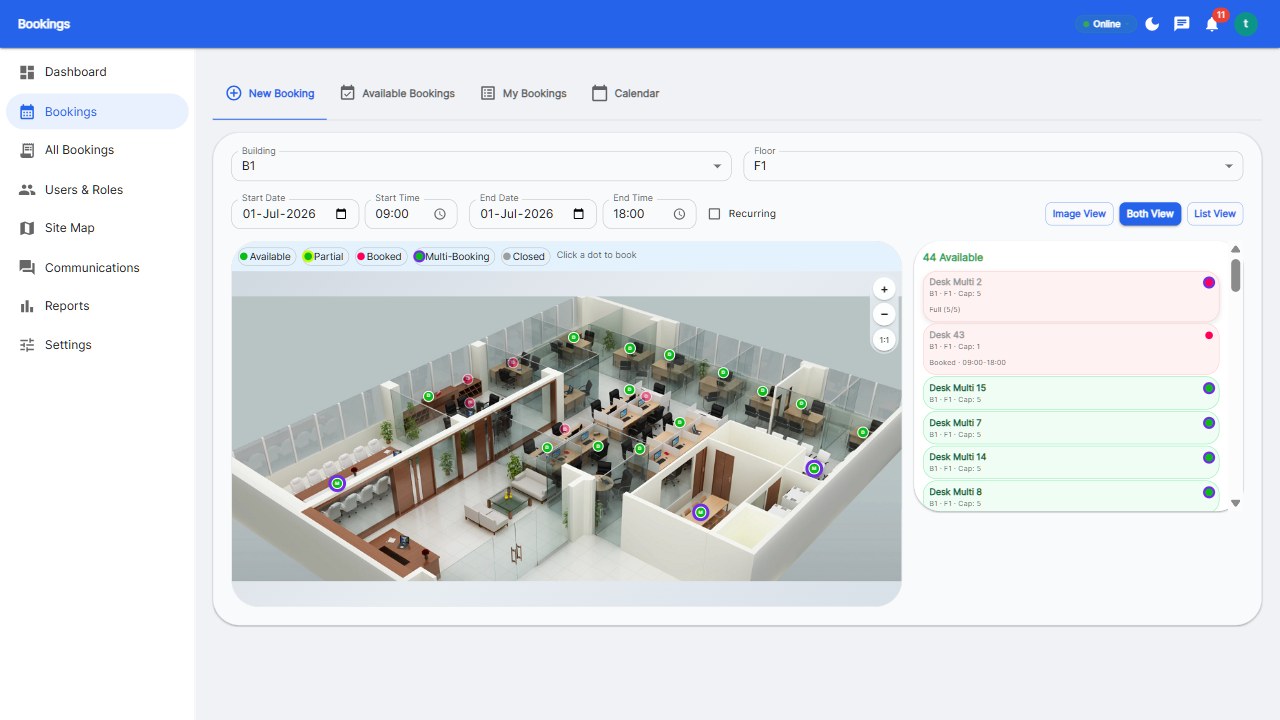
Upload your layout image and place desk markers with drag-and-drop - most tools take minutes. Color-code zones (quiet, collaborative, phone-booth-adjacent) and label desk types. Live availability dots (green/amber/red) turn your map into the single source of truth for who-can-sit-where.
Name desks consistently (B3-14, not 'desk near the window') so support requests and wayfinding work. Add a photo of each zone if your tool supports it - visual context dramatically reduces wrong-zone bookings.
Start strict, then relax. It is easier to loosen a rule employees have experienced than to tighten one they have learned to ignore.
Publish a one-page policy: how to book, check-in rules, etiquette (clean desks, no personal items overnight), and what happens on no-show. Announce it in an all-hands, put it in onboarding, and let the system enforce it. Ambiguity is the enemy of adoption.
Use every channel once: all-hands announcement, Slack pin, onboarding deck, and a poster at the elevator. Repetition is not redundancy - the policy needs to reach the employee who joined last week, not just the one who read the memo.
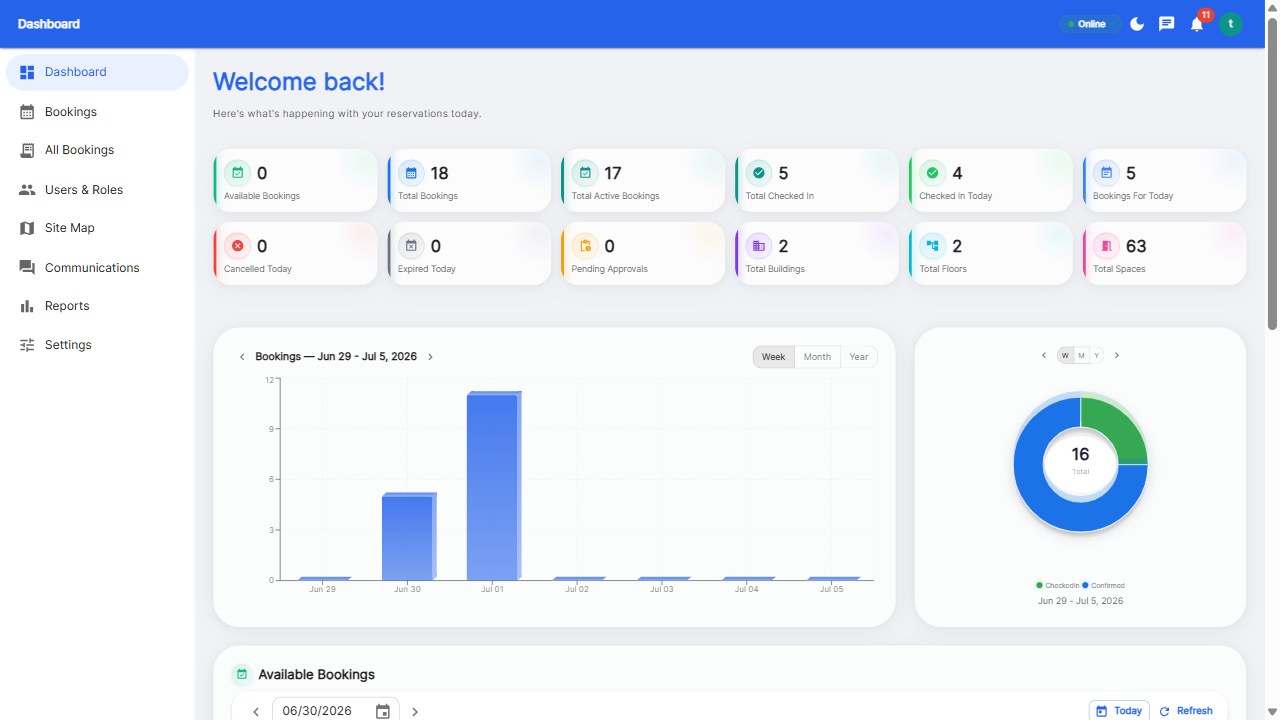
Track utilization, no-show rate, and booking frequency weekly. If utilization stays under 40%, your booking window may be too restrictive. If no-shows persist, tighten check-in rules. Review at day 30 with employees and adjust. Hot desking is a system, not an event - it improves as your rules do.
Report the numbers openly: 'We freed 40 desks, saved $X/month, and no-shows are down 50%.' Transparency converts hot desking from a change forced on people into a program they helped tune.
A focused implementation takes 1-2 weeks: a few days for planning and floor plan setup, one week of pilot, and policy communication. Software setup itself takes minutes.
Measure peak utilization for two weeks, then keep desks at roughly peak usage plus a 10% buffer. Most hybrid offices need 30-40% fewer desks than their headcount.
Resistance usually comes from unclear rules, lost personal space, or unreliable availability. Fix those three - enforce check-in, guarantee clean desks, communicate etiquette - and adoption follows. Involve employees in the pilot to build ownership.
Above ~20 employees, yes. Spreadsheets cannot show live availability or enforce check-in, which are the two mechanisms that make hot desking fair and functional.
Follow the steps with a tool built for them.
Start your free 30-day trial at Reservete.com - no credit card required, full access to every feature.

Enterprise workspace management platform. Book desks, meeting rooms, and parking spots in seconds.
Get product updates and workspace tips.