Workspace Booking System: 6 Tools and Prices (2026)
Sara
Sales Director, Reservete
What a workspace booking system does, what to check, and 6 tools with prices checked Nov 2026: Reservete from $19/mo, Microsoft Places, deskbird and more.
A workspace booking system lets employees reserve desks, meeting rooms, parking spaces and other shared resources in advance from a web or mobile app, usually on a live floor plan. Good systems add check-in with automatic release of no-shows, booking rules, guest booking and reports that show how space is really used.
Last updated: 14 November 2026.
Search terms differ (workspace booking software, app, platform, reservation software, scheduling software) but they describe the same category. This guide explains what such a system does, how to choose one and what common tools cost.
What does a workspace booking system do?
| Capability | What it does | Why it matters |
|---|---|---|
| Interactive floor plans | Shows desks, rooms and parking on a map | People find the right spot quickly |
| Desk, room and parking booking | Reserve one or more resource types | One tool instead of three |
| Check-in and auto-release | Frees bookings nobody confirms | Cuts no-shows and ghost bookings |
| Booking rules and approvals | Limits, advance windows, sign-off for restricted areas | Fair access on busy days |
| Guest booking | Book space for visitors | Hosts plan visits in the same place |
| Reports | Bookings, check-ins, no-shows, peak days | Evidence for space decisions |
| Calendar invites | Sends a calendar entry for each booking | Bookings appear alongside meetings |
How does workspace booking work step by step?
- Facilities uploads floor plans and marks bookable desks, rooms and parking.
- Admins set rules: advance booking window, maximum length, check-in deadline, approvals.
- Employees book on web, mobile or in Teams and receive a confirmation and calendar invite.
- On the day they check in; unconfirmed bookings are released automatically.
- Facilities reviews reports monthly and adjusts zones, ratios and rules.
What should you check before choosing a workspace booking system?
- Resource types: desks only, or rooms, parking and guests too.
- Where people book: web, mobile apps (which platforms), Microsoft Teams or other chat tools.
- Calendar behaviour: invite files versus true two-way sync with Outlook or Google Calendar. Ask each vendor exactly what happens when a meeting moves.
- Sign-in: SSO with Microsoft or Google.
- Pricing model: per user, per resource, per space or flat tier; model your size for each.
- Security evidence: ask for the documents your IT team needs, such as a security questionnaire or audit report.
- Languages and sites: multi-location and the languages your staff use.
Which workspace booking systems are available, and what do they cost?
| Tool | Best for | Starting price (vendor sites, checked 13 Nov 2026) | Free plan? |
|---|---|---|---|
| Reservete | Desks, rooms, parking and guests in one tool | $19/month (1 building, up to 100 users) | No; 30-day free trial, no card |
| Microsoft Places | Microsoft 365 organisations | Core included in most Microsoft 365 plans; about $2/desk/month for individual desks | Core included with Microsoft 365 |
| deskbird | Teams and Slack-first desk sharing | $3.75/active user/month, annual, from 25 users | Yes; Starter plan up to 15 users |
| Skedda | Many spaces, unlimited users | $99/month EMEA and APAC (15 spaces); $249/month US (35 spaces), annual | No; paid plans only |
| OfficeRnD Workplace | Booking in Microsoft, Google or Slack | $99/month annual, plus $2 per bookable resource | Not listed |
| YAROOMS | Tiered plans with an on-premise option | $99/month Starter (1 location) | Not listed |
Try it on your own floor plan: open the Reservete live demo (no signup), or start a 30-day free trial with no credit card. Plans are $19/month (up to 100 users), $29/month (up to 400 users), $59/month (up to 10,000 users) and $99/month (up to 30,000 users).
How do pricing models compare for a 50-person team?
Worked example using the prices above, for 50 employees sharing 30 desks and 5 rooms, before tax and discounts:
- Per active user at $3.75/month: 50 x $3.75 = $187.50/month (deskbird's paid plan starts at 25 users, billed annually).
- Per resource at $99/month plus $2 per resource: $99 + 35 x $2 = $169/month (OfficeRnD Workplace, annual).
- Flat tier: Reservete Professional is $29/month for up to 400 users, including SSO, the API and chat.
Prices change and each vendor bundles different features, so confirm on the vendor's own page before deciding.
How do you roll out a workspace booking system in 30 days?
| Week | Facilities | Employees |
|---|---|---|
| 1 | Upload floor plans, mark desks, rooms and parking, set rules | Pilot team receives invites |
| 2 | Pilot with one team; fix naming and equipment labels | Pilot books daily, gives feedback |
| 3 | Publish the booking policy; invite everyone | All staff book desks and rooms |
| 4 | First report: peak day, no-shows, unused areas | Teams agree anchor days and zones |
Keep the first version simple: one advance window, one check-in deadline and one set of zones. Add approvals or restricted areas only when the data shows you need them. Ask the pilot team three questions at the end of week two: could you find a desk, was booking quick, and did anything stop you checking in?
What does a good workspace booking report show?
- Peak day per site and floor, not just weekly averages.
- No-show rate by resource type, since rooms and desks behave differently.
- Resources never booked in the month, which are candidates for a different use.
- Parking demand against spaces, especially on anchor days.
What workspace booking terms should you know?
- Bookable resource
- Anything people can reserve: a desk, meeting room, parking space, locker or piece of equipment.
- Booking window
- How far in advance a resource can be reserved, for example up to 14 days ahead.
- Check-in deadline
- The time by which a booking must be confirmed before it is released.
- Approval rule
- A rule that sends certain bookings, such as a boardroom or a secure area, to a named person to approve.
- Calendar invite (.ics)
- A standard iCalendar file sent with a booking that calendar apps such as Outlook, Google Calendar and Apple Calendar can open.
- SSO
- Single sign-on: employees log in with their existing Microsoft or Google work account instead of a new password.
- Utilization report
- A report comparing what was booked and used against what was available.
What questions should you ask vendors in a demo?
- Show me how an employee books a desk and a room for the same day in under a minute.
- What happens to a booking when nobody checks in, and can I change the deadline per floor?
- What exactly happens in Outlook or Google Calendar when a booking is created, moved or cancelled?
- Which reports are included, and can I export the raw data?
- What does the price become if we double headcount or add a second office?
- Which mobile platforms are supported today, and which are planned?
What are the limitations of workspace booking systems?
- Adoption is the hard part: if booking is optional and there is no check-in, the data is unreliable.
- Booking data is self-reported; sensors or badge data measure actual presence differently.
- Calendar integrations vary widely; test with your own mail system during the trial.
- A tool will not decide your rules. Write a short desk booking policy first.
How does Reservete fit as a workspace booking system?
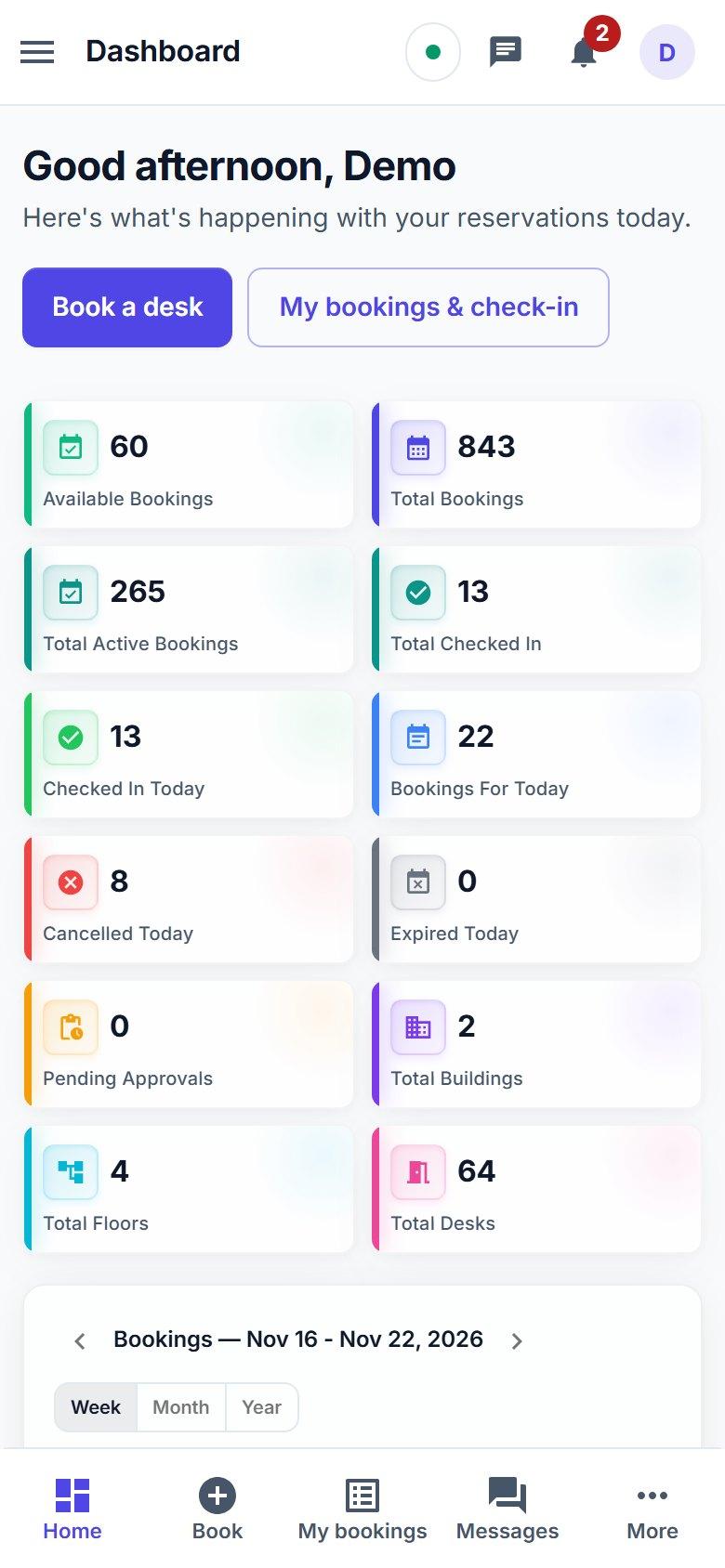
Reservete covers desk, room and parking booking on interactive floor plans, check-in with automatic release of no-shows, guest booking, approvals, 15+ reports, team chat and calls, announcements, a Microsoft Teams app, a REST API and an Android app, in English, Spanish, French and Arabic. Every booking sends a calendar invite (.ics) that people can add to Outlook, Google Calendar or Apple Calendar. Plans are Starter $19/month for 1 building and up to 100 users, Professional $29/month for up to 3 buildings and 400 users (adds SSO, REST API and chat) and Enterprise $59/month for up to 50 buildings, 200 floors and 10,000 users (Enterprise Plus $99/month goes to 30,000 users).
Be clear about the limits too. Reservete does not offer two-way Outlook or Google Calendar sync (bookings arrive as .ics invites), there is no Slack integration, no kiosk mode and no SOC 2 report today, and the iOS app is still coming soon (Android is live). If those are hard requirements, shortlist a vendor that has them.
Related: the desk booking software buyer's guide, the workspace management guide, the meeting room booking guide and the Robin vs OfficeRnD vs Reservete comparison. See hybrid workplace software and the Microsoft Teams app.
Frequently Asked Questions
What is a workspace booking system?
It is software that lets employees reserve desks, meeting rooms, parking and other shared spaces in advance, usually on a floor plan, with rules, check-in and reports for the facilities team.
What is the difference between workspace booking and desk booking?
Desk booking covers desks only. Workspace booking usually also covers meeting rooms, parking spaces and sometimes guests or equipment in the same system.
Can a workspace booking system work with Outlook?
Many can at different levels. Some sync two ways with Outlook calendars; others, including Reservete, send a calendar invite file with every booking that you can add to Outlook, Google Calendar or Apple Calendar. Test this during a trial.
How much does workspace booking software cost?
Public prices checked in November 2026 range from free plans for small teams to per-user prices around $3.75 a month and flat plans from $19 a month. Larger vendors often quote on request.
How long does it take to set up workspace booking?
A small office can upload a floor plan, mark desks and rooms and invite staff in a day. Allow a few weeks for rules, a pilot team and the first review.
Sources
- Reservete pricing and plans (checked 14 Nov 2026)
- Competitor prices: each vendor's public pricing page, checked 13 Nov 2026
- IETF RFC 5545: iCalendar specification (checked 14 Nov 2026)
Ready to put this into practice?
Start a 30-day free trial of Reservete — desk booking, meeting rooms, parking and analytics in one place. No credit card required.
Start free trialExplore Reservete