How to Book a Desk at Work: A 3-Minute Step-by-Step Guide
Sara
Sales Director, Reservete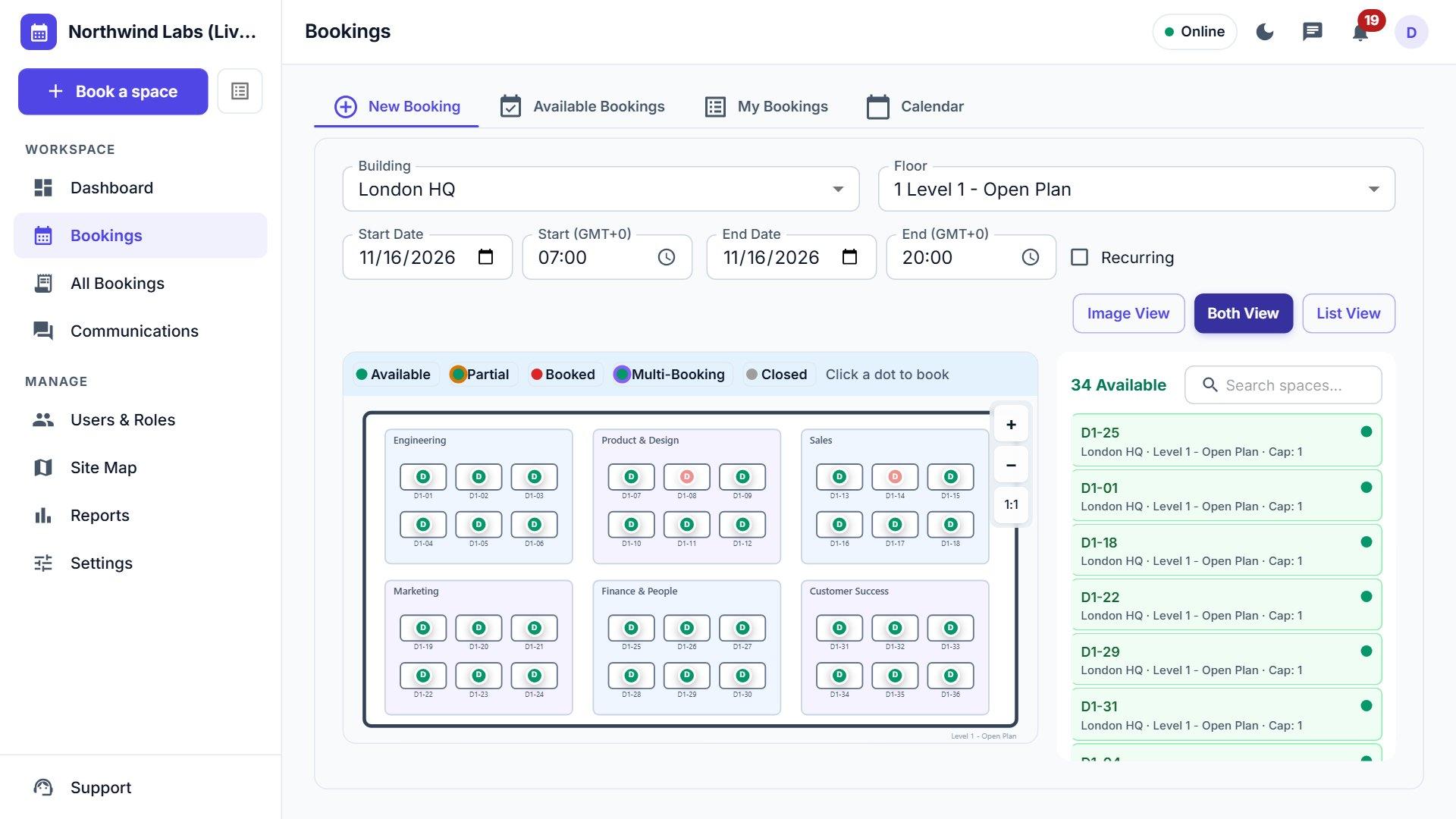
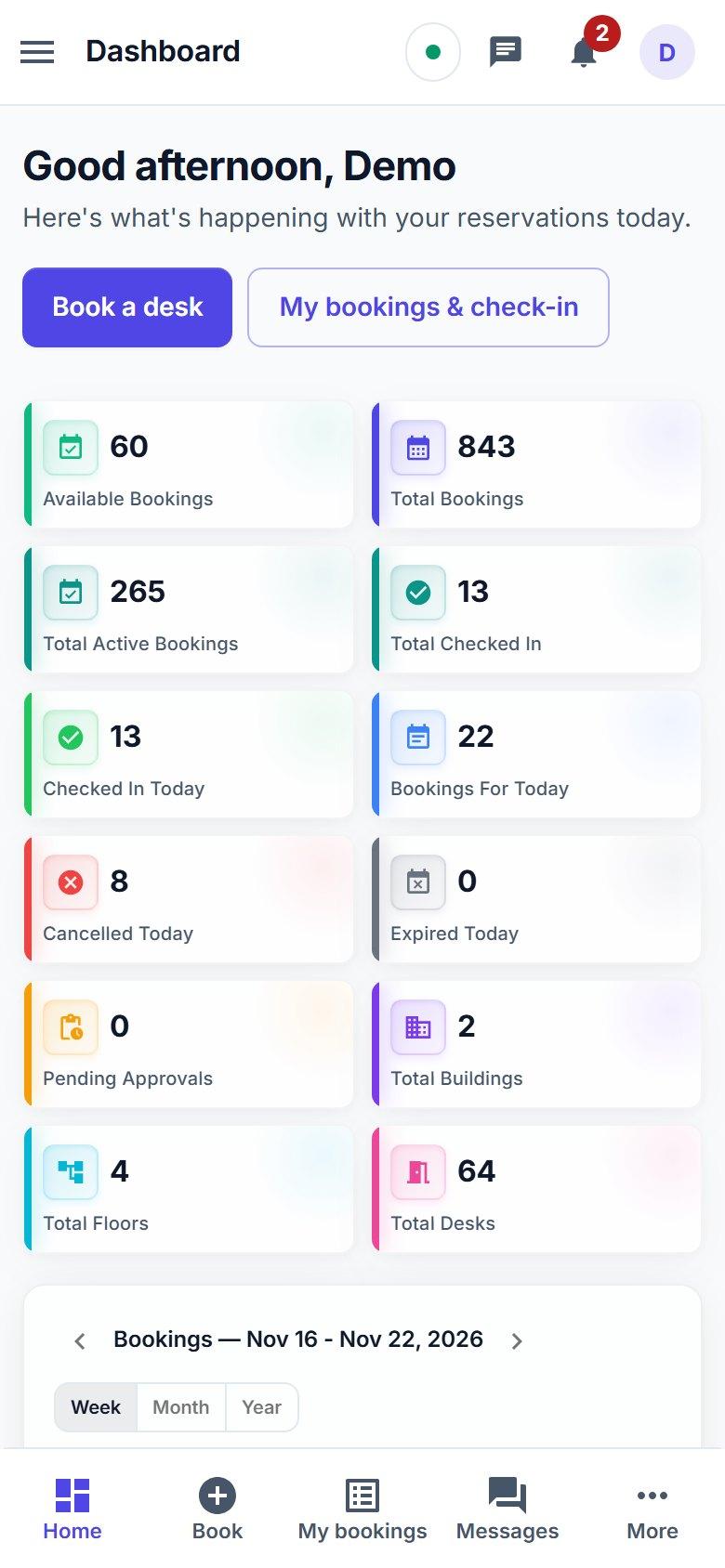
To book a desk at work, open your office's booking app or website, pick your building and floor on the map, choose a green (available) desk, confirm...
What is this guide?
To book a desk at work, open your office's booking app or website, pick your building and floor on the map, choose a green (available) desk, confirm the date and time, and you're done - the whole flow takes under 10 seconds. On arrival, tap check-in so the desk isn't released, and when you leave early, release the booking for someone else.
Step 1: Open the Booking App or Website
Most offices run a booking platform like Reservete. Open the mobile app or the web page, and sign in with your work account (many companies enable SSO so you're already logged in).
Step 2: Pick Your Building and Floor
The interactive floor plan shows your office layout with color-coded dots: green means available, amber means partially booked, red means fully booked. Tap your floor to see every desk and room.
Step 3: Choose a Desk and Confirm
Tap the green desk you want, confirm the date and time (or pick from upcoming days), and submit. Recurring bookings are available for weekly stand-ups - set once, repeats automatically.
Step 4: Check In on Arrival
Tap check-in when you arrive (usually within a 15-minute window). This holds your desk and releases any no-show protection. If you're late, the desk may auto-release - so check in early.
Step 5: Release When You Leave Early
Leaving before the slot ends? Release the desk so a colleague can book it. It takes one tap and keeps the office maximally usable - the polite thing to do.
What If a Desk Shows Red?
Fully booked floors happen on anchor days. Check the amber desks (partially booked days), other floors, or the waitlist feature if your office has one. Booking a day or two ahead is the best way to guarantee your preferred seat.
Frequently Asked Questions
How fast should booking a desk take?
Under 10 seconds: building, floor, desk, confirm. If it takes longer, your booking tool is too clunky.
What happens if I don't check in?
The desk auto-releases after the grace period (typically 10-15 minutes) and becomes bookable by someone else. Repeated no-shows may restrict advance booking.
Can I book a desk for tomorrow?
Yes - most offices open booking 1 week ahead. Booking ahead guarantees your seat, especially on anchor days.
Can I book a meeting room the same way?
Yes - rooms appear on the same map and follow the same booking flow, with optional approval for premium rooms.
Your office runs on booking - here's the 10-second flow.
Start your free 30-day trial at Reservete.com - no credit card required, full access to every feature.
Related Guides
Ready to put this into practice?
Start a 30-day free trial of Reservete — desk booking, meeting rooms, parking and analytics in one place. No credit card required.
Start free trialExplore Reservete