![How Much Does Desk Booking Software Cost? [2026 Pricing Guide]](/images/feature-booking.jpg)
Desk booking software costs between $2 and $12 per user per month, or a flat fee of roughly $49-$100 per month for small and mid-sized teams in 2026. Entry-level plans typically cover up to 10-25 users, while enterprise pricing is custom-quoted and usually starts around $500 per month. Most vendors, including Reservete, offer a 30-day free trial with no credit card required.
Prices across the desk booking market vary by more than 10x, and that gap is rarely about feature quality. It is almost always about who the vendor is built to serve. Enterprise platforms such as Robin and OfficeRnD price themselves for organizations with hundreds of employees, dedicated workplace teams, and budgets measured in tens of thousands of dollars a year. Focused tools like Reservete and Skedda are engineered for teams that want real booking power without enterprise overhead.
The main cost drivers are: the number of users you need to cover, the features you actually require (floor maps, approvals, SSO, analytics, guest booking), whether you pay per user or per plan, and whether the vendor charges extra for modules that competitors include by default. Before you compare any price lists, write down your must-have features. That single exercise will save you from overpaying for modules you will never open - and from choosing a cheap tool that lacks something you cannot live without.
It also pays to understand how the two dominant pricing models work. Flat plans charge one predictable monthly fee for a band of users. Per-user plans scale your bill with headcount, which sounds fair until you realize that every new hire - and every employee who actually adopts the tool - raises your monthly cost. For most growing teams, flat pricing is the more economical and predictable choice.
| Vendor | Entry price | Users included | Free trial | Pricing model |
|---|---|---|---|---|
| Reservete | $49/month | 10 users | 30 days, no card | Flat plan |
| Skedda | ~$39/month | 5 users | 14 days | Flat plan |
| Robin | $380/month | 25 users | Demo only | Flat + add-ons |
| OfficeRnD | $350/month | 50 users | Demo only | Per-user |
| Envoy | $250/month | 50 users | Demo only | Flat + add-ons |
| Joan | €199/month | Per screen | Demo only | Per device |
The pattern is clear: enterprise-focused vendors charge $200-$400 per month as a starting point, while focused tools undercut them significantly. A typical small office - anywhere from 10 to 50 employees - can run a complete desk booking system for under $100 per month, including floor plan maps, mobile apps, and email support.
Two other patterns are worth noting. First, "demo only" trials are a real cost: you cannot evaluate the product with your own floor plan, your own team, or your own booking policies before committing. Second, per-device pricing (common with meeting-room display hardware vendors like Joan) gets expensive quickly in multi-room offices, where a single screen per room multiplies your bill.
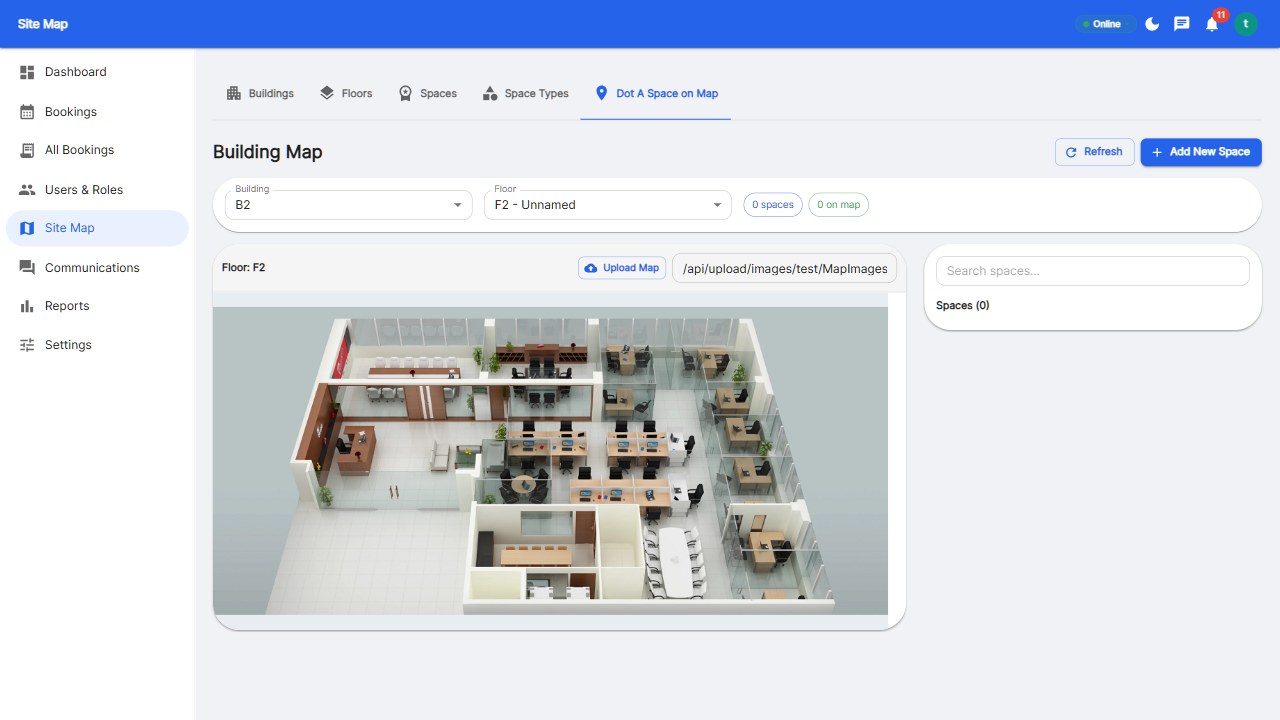
Under $60/month: real-time desk and room booking, interactive floor plan maps, mobile app access, guest booking, email support, and basic reports. This is the sweet spot for small teams that just need to stop using spreadsheets and chat threads for desk coordination.
$60-$200/month: everything above plus SSO with Google and Microsoft, full REST API access, built-in team chat and audio/video calls, 15+ advanced analytics reports with PDF and Excel export, custom branding, M365 calendar two-way sync, SMS reminders, and announcements with read tracking.
$200+/month: unlimited users, dedicated account manager, 24/7 phone and priority support, custom integrations and webhooks, SLA guarantees with 99.9% uptime, on-premise deployment options, security audit reports, and data residency controls.
The most important lesson: features that some vendors treat as premium add-ons - SSO, API access, custom branding - are baseline in most focused platforms. Always ask what is excluded at the entry price, not just what is included.
Three costs catch buyers off guard. First, per-screen or per-building fees that add up fast in multi-site offices. A "$99/month" quote can become $1,500/month once you attach displays to every meeting room and pay per location. Second, setup and onboarding fees - some vendors charge $1,000 or more for a consultant to configure your floor plan and user directory, a task most modern tools let you do yourself in minutes. Third, usage-based add-ons such as paid SMS credits, extra storage, or per-seat analytics licenses that appear on your second invoice.
Before signing anything, ask these four questions directly: What else will this cost me by month 12? Is SSO included in the plan I am buying? Are there fees for adding another building or floor? What happens if I cancel mid-contract? Vendors who dodge these questions usually have something to hide.
Contract terms deserve equal scrutiny. Watch for automatic renewal clauses with 30-day cancellation windows, annual commitments disguised as discounts, and data-export fees at the end of your term. Reputable vendors like Reservete keep it simple: monthly or annual billing, cancel anytime, and your data stays exportable.
A simple rule of thumb: a desk booking system pays for itself when it improves space utilization by even 10%. If you rent 100 desks at $1,000 per month each, a 10% utilization improvement means you can consolidate to 90 desks and save $10,000 per month - against a software bill of $100-$400 per month, that is a 25-100x return.
Here is the step-by-step budget process: count your employees and office days per week, calculate your current utilization rate (desks actually used at peak divided by desks available), and multiply your wasted desks by your annual cost per desk. That number is your addressable savings. Then compare it against vendor pricing for the tier that fits your headcount.
You do not need a spreadsheet to do this. The Reservete ROI calculator models the entire calculation with your inputs - employees, office days, cost per desk, utilization, and no-show rate - and returns your desks needed, wasted desks, and annual savings across real estate, productivity, and energy.
Reservete's pricing page is fully transparent: $49/month for up to 10 users, $99.99/month for up to 50 users, and custom quotes for enterprise. Every plan includes the 30-day free trial, and annual billing drops the price to $39 and $79.99 respectively.
Finally, remember that the cheapest system is the one your employees actually use. A free tool that gets abandoned costs you more than a $99/month platform your team books through every morning. Factor adoption into the price and the math changes completely.
Yes. A few vendors offer genuinely free tiers for small teams, and Reservete offers a full 30-day free trial with no credit card. Free tiers usually cap the number of users or spaces, so plan your growth before committing.
Most do charge per user per month, though several vendors (including Reservete) price by plan size instead, which is easier to predict. Enterprise plans are usually custom-quoted.
At Reservete, no. All plans include free setup and you can configure your workspace in minutes. Some larger vendors charge onboarding fees, so always ask.
Yes. Annual plans typically save around 20% - Reservete's Starter drops from $49 to $39/month and Professional from $99.99 to $79.99/month when billed annually.
On flat plans, a $49/month plan for 10 users works out to about $4.90 per employee per month; a $99.99 plan for 50 users is about $2 per employee. Per-user vendors typically charge $3-$12 per user.
Get a clear, transparent price for your team today.
Start your free 30-day trial at Reservete.com - no credit card required, full access to every feature.

Enterprise workspace management platform. Book desks, meeting rooms, and parking spots in seconds.
Get product updates and workspace tips.